Social media
Social media for agencies: Clyde plans, writes and waits for your approval.
Nothing goes live without your approval, and your client can approve too, in their own portal. Clyde makes the posts, captions and carousels per client, in that brand's voice and visual identity, and lays them out for you per day. What you approve, he schedules at the moment set in the calendar.
- Per client
- In its own brand voice
- Per day
- Review in one row
- Approval
- Always you first
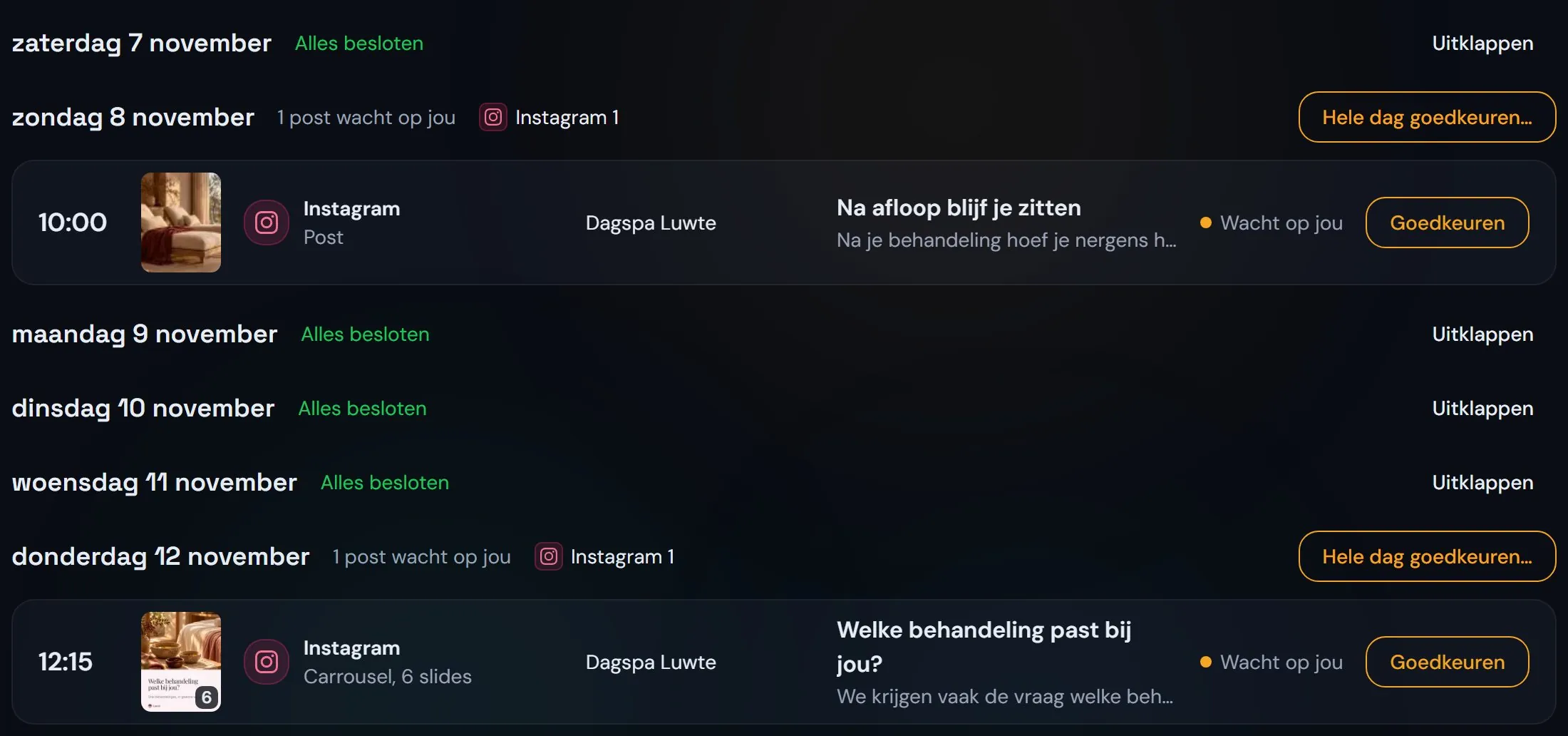
You review per day, not post by post.
Clyde lists a client's posts per day. A day with work says how much is waiting for you; a day without work is marked as all decided. You approve a post, edit it or skip it, and one button approves a whole day at once.
Posts
An image with a caption in the client's brand voice, and the hashtags that suit that brand.
Carousels
Slides in the brand's visual identity that explain a topic step by step.
Channels
For example Instagram, Facebook and LinkedIn. Which channels take part depends on the accounts you connect per client.
Every client's month on one calendar.
What you approve, Clyde schedules on the day and hour from the calendar. In the month view you see per client what is scheduled and what still waits for you, and the calendar tells you when a weekday without content is coming up.

Your client approves too, in their own portal.
In their portal your client sees their calendar and the posts waiting for approval. An admin on their team approves them; anyone who only views sees what is coming.
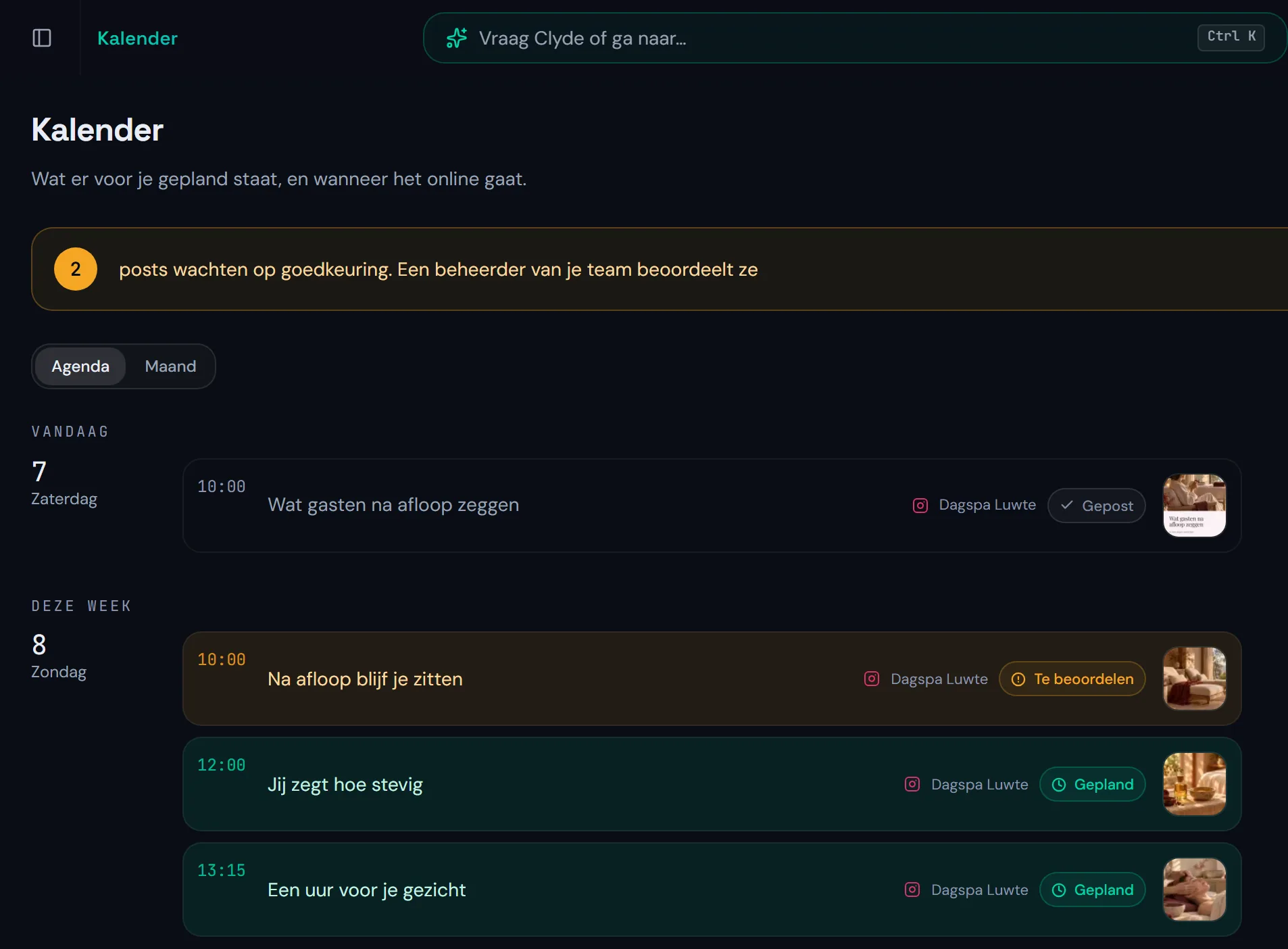
How it works at SalesLobe.
Clyde makes SalesLobe's Instagram and its founder's LinkedIn. Every post is approved in the app and then published at the scheduled moment.
Questions about social media with Clyde.
What agencies want to know before Clyde makes a client's posts.
How do I automate social media for several clients?
You set up the brand voice, the visual identity and the accounts per client. Then Clyde writes the posts per client and lays them out for you per day. You approve, Clyde schedules. How to set up such a calendar is in the article about a content calendar for several clients (in Dutch).
Does Clyde publish without approval?
No. A post only goes live once you have approved it. Until then it waits for you.
Which channels does Clyde support?
Clyde plans for the social accounts you connect per client, such as Instagram, Facebook and LinkedIn. Which channels take part for a client is shown at the top of their calendar.
Can my client approve posts themselves?
Yes, if they are an admin in their portal. Then they approve the posts in their own calendar. Anyone who only views sees the posts but does not approve them. What else your client sees is on the client portal page.
One calendar for all your clients.
A 30-minute call about the clients you have now.