Your client follows along
A portal in your agency's name, where your client approves.
Your client gets their own portal with your name, logo and colours. There they approve content or ask for a change, see their calendar and reports, and send requests through a fixed form.
- Portal
- In your agency's name
- Approving
- Approve, reject or ask for a change
- Phone
- Fixed bar at the bottom
 Dagspa Luwte
DashboardContent ReviewSocial InboxRequestsCalendarReports
Nova Digital
Content

Instagram · Carousel · Sat 14 Nov, 10:00
Welke behandeling past bij jou?Swipe door alle drie. Reageer RUST, dan sturen we je de link.
Waiting for approval
ApproveChanges
What your client sees.
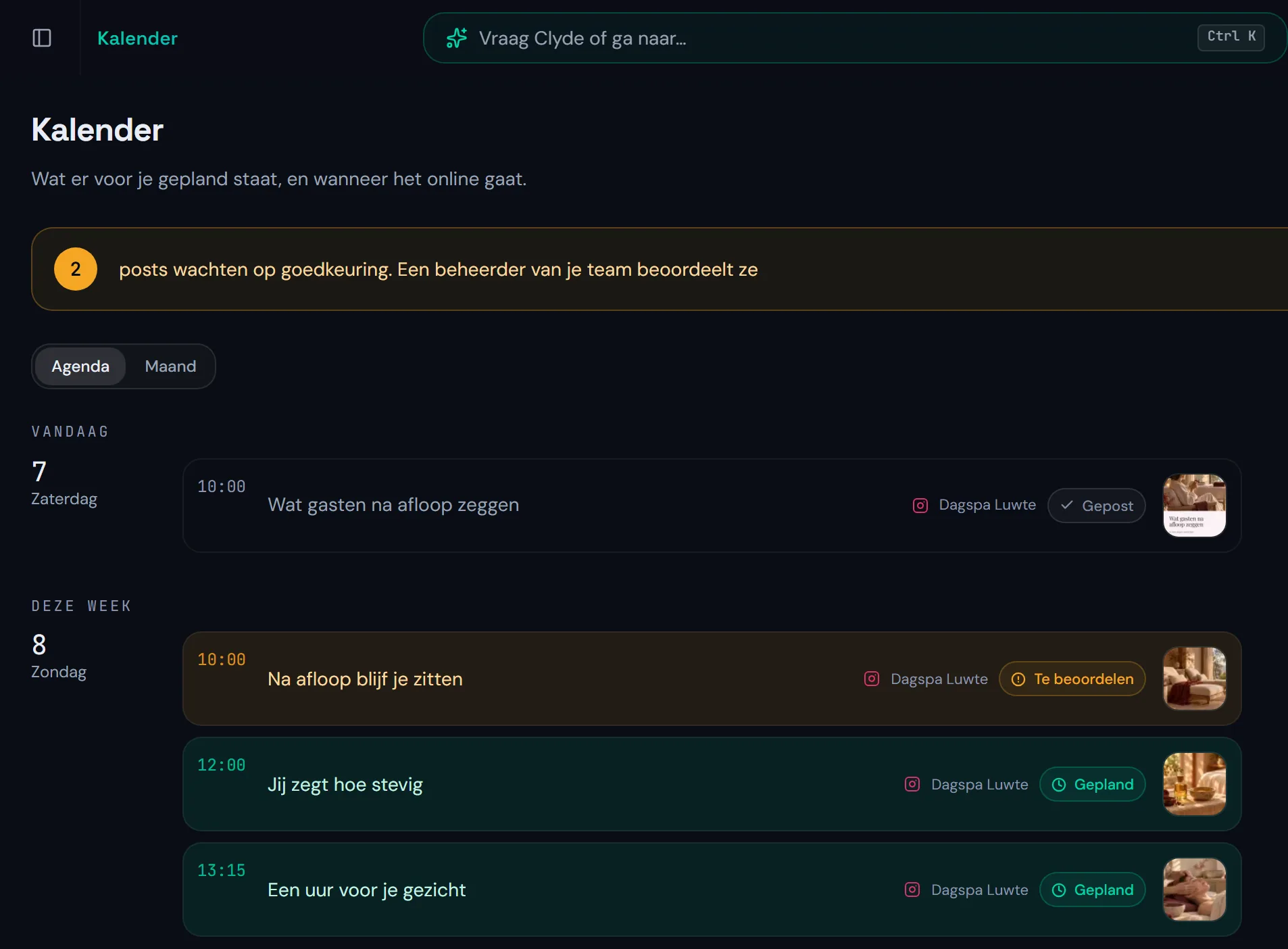
Their portal holds everything that is ready for their brand, and nothing of your other clients.
| In the portal | What they do there |
|---|---|
| Content | Approve, reject or ask for a change |
| Calendar | See what goes live when, per channel |
| Reports | Read back the reports delivered to them |
| Strategy | Read their course, goals and pillars, when that page is on for them |
| Media | Add their own images for their posts |
| Requests | Send a request through a form |
Approving, on their phone too.
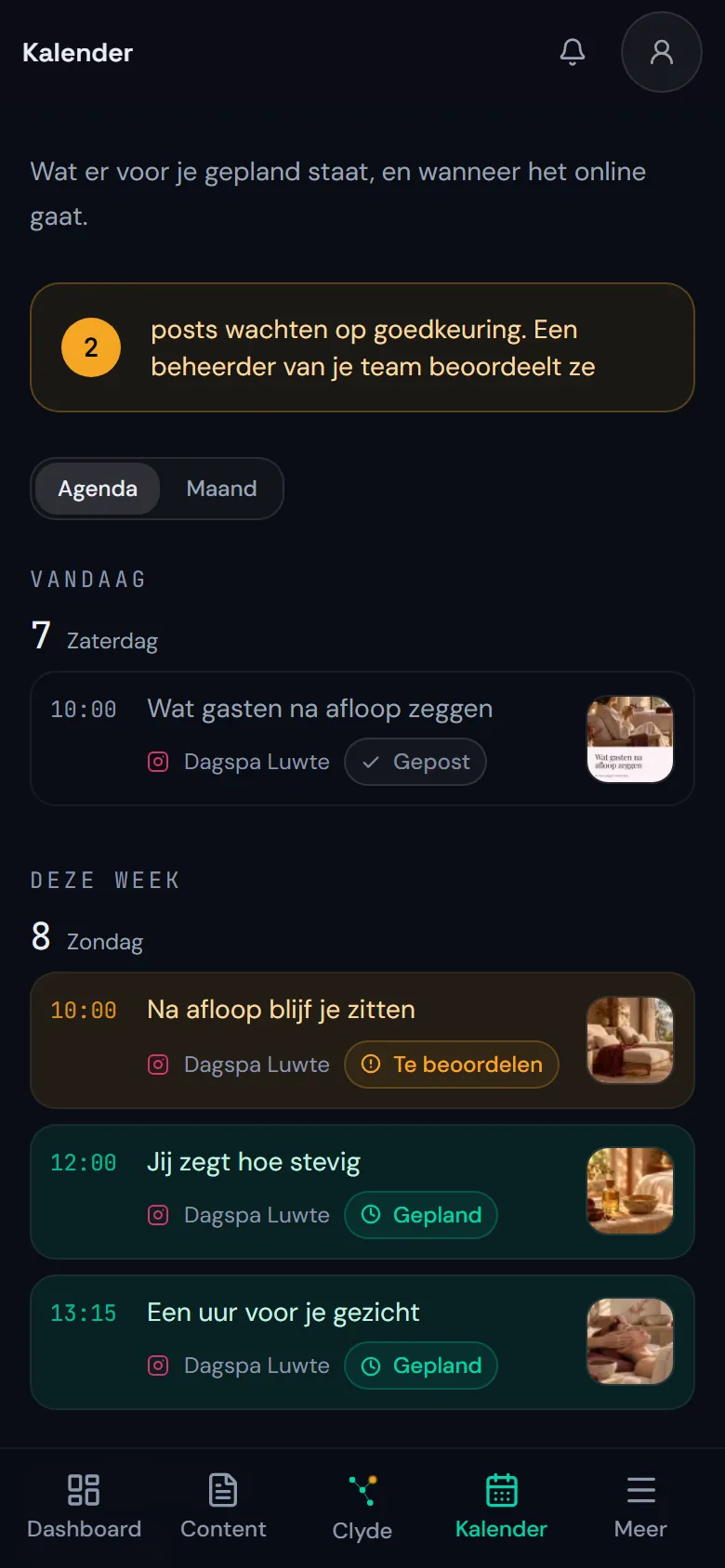
Your client opens a post, reads the caption and chooses: approve, reject or ask for a change. On their phone, Content and Calendar sit in the fixed bar at the bottom.
Only a manager on their team can approve. The others follow along, but approve nothing.
Instagram · Carousel · Sat 14 Nov, 10:00
Welke behandeling past bij jou?
ApproveChangesReject
Requested changes *Describe the changes you want...
Request changes
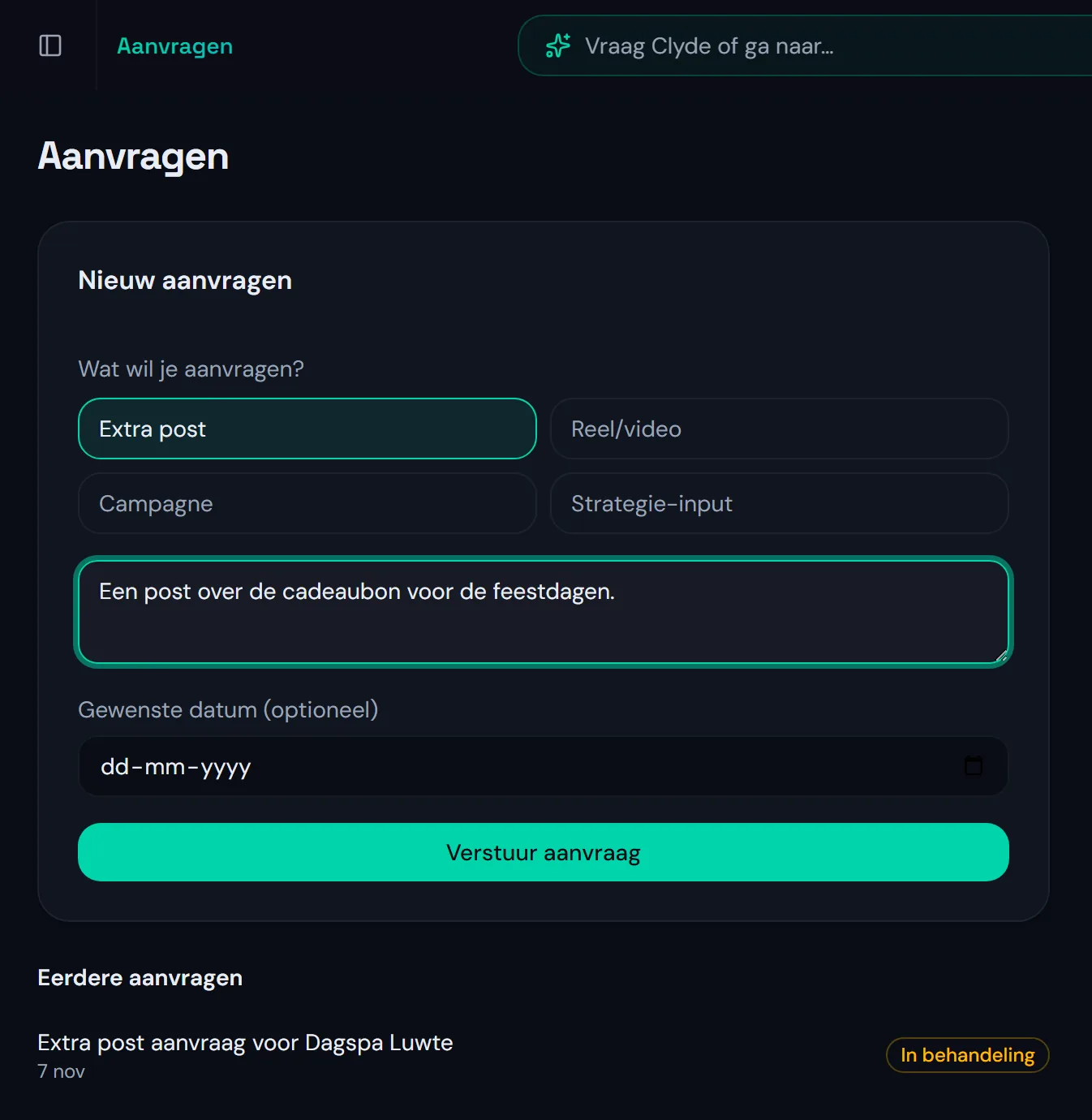
Requests go through one form.
If your client wants something extra, like a post about a new product, a campaign or input for their strategy, they fill in the request form in their portal. Every request becomes a ticket, with their message and the date they want.
Their own Clyde, who only reads.
Your client gets Clyde too, in their portal and on WhatsApp, for questions about their own marketing. That Clyde reads and explains, but plans, changes and publishes nothing.
This card sits on your client's strategy page, when that page is on for them. Otherwise they ask Clyde through the bar at the top of their portal, or on their phone through Clyde in the bar at the bottom. What you do with Clyde, and what he puts to you, is on the page about working with Clyde.
Ask Clyde
Where are we with the goals?What are you doing this month?What do I still need to approve?
Who does what.
Clyde does the work, you decide, and your client follows along and approves.
| Clyde | You | Your client |
|---|---|---|
| Makes drafts for posts, carousels and blogs | Approves before anything goes live | Approves, rejects or asks for a change |
| Schedules them per channel | Chooses how independently Clyde runs fixed tasks | Sees their calendar and reports |
| Prepares the reports | Pauses a post or a whole client | Adds their own images |
| Answers your client's questions, read only | Decides what happens with a request | Sends requests through the form |
How to tell your client you work with Clyde.
You do not have to hide it. Clients mostly want to know who checks the work. Three sentences you can use:
Three sentences for your client
"We work with Clyde, an AI colleague who prepares and schedules your content."
"Nothing goes live before we have checked it and you have approved it in your portal."
"Clyde remembers your brand voice and your feedback, separate from our other clients."
Questions about the client portal.
What agencies want to know before their client follows along.
Does my client see FutureMarketingAI or my agency?
Your agency. With white-label on they see your name, logo and colours, on their phone too.
Who at my client can approve?
Only a manager on their team. The others follow along and approve nothing.
Can my client approve or request something through WhatsApp?
No. They approve in their portal, on their phone too, and requests go through the form. On WhatsApp they can ask Clyde questions about their own marketing.
What does a portal per client cost?
Nothing extra. The portal comes with every client brand: at the introductory price you pay €1,297 per month excl. VAT with five client brands included. See the pricing.
Let your client follow along.
A 30-minute call. After it you know whether the portal fits your clients.