What Clyde makes
AI tools for your agency, per client in one workspace.
Clyde plans, makes, puts work to you and measures, for each client separately and from one memory per client. Below is what he does, in the order of a working week. No post goes live without your approval.
- Workspace
- One per client, with its own memory
- Approval
- Nothing live without you
- Your client
- Follows along in their portal
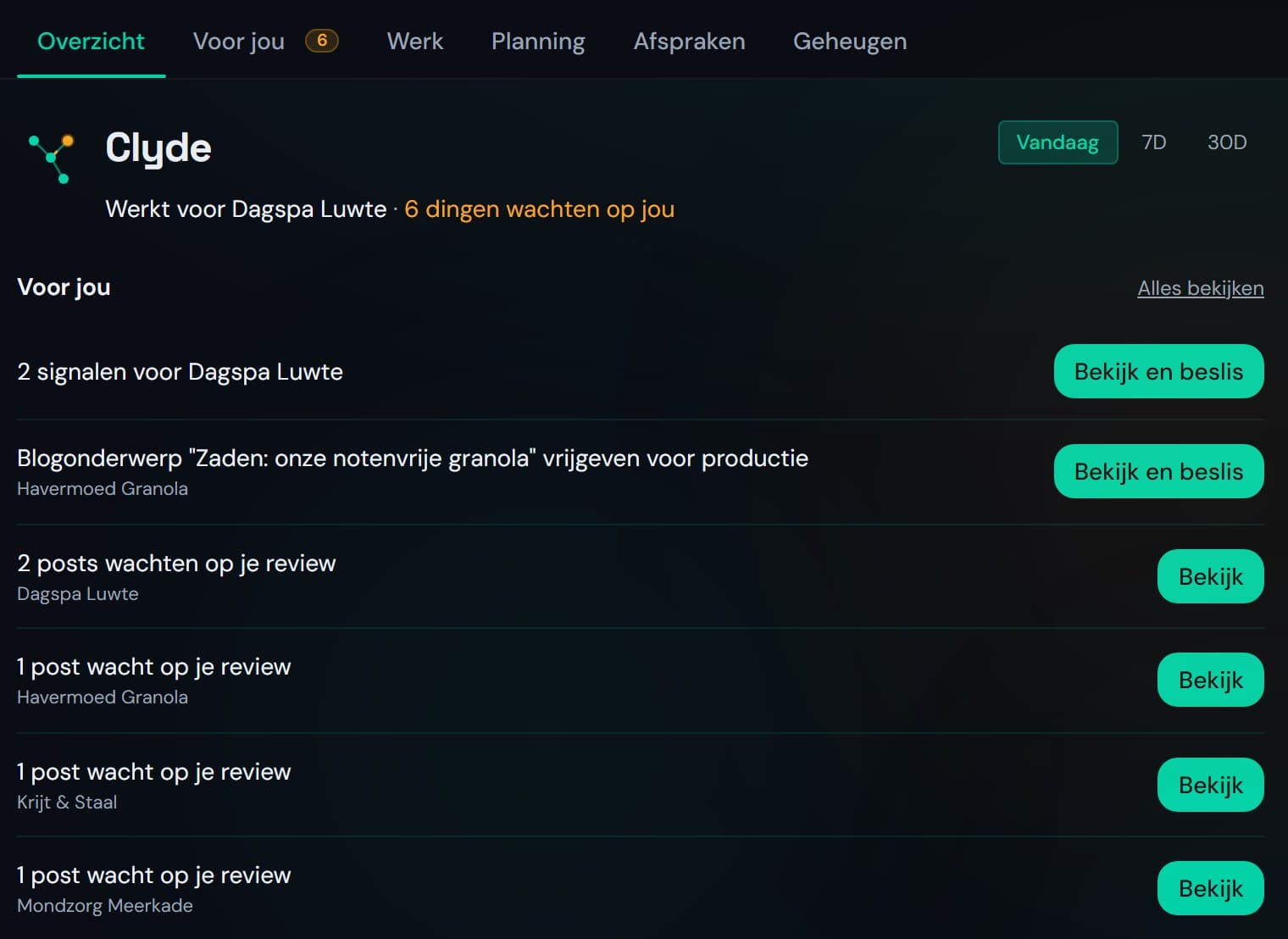
One colleague instead of separate tools.
You work with Clyde: in your dashboard, in the web app on your phone and on WhatsApp. What follows, he does per client, with that client's brand voice, goals and memory.
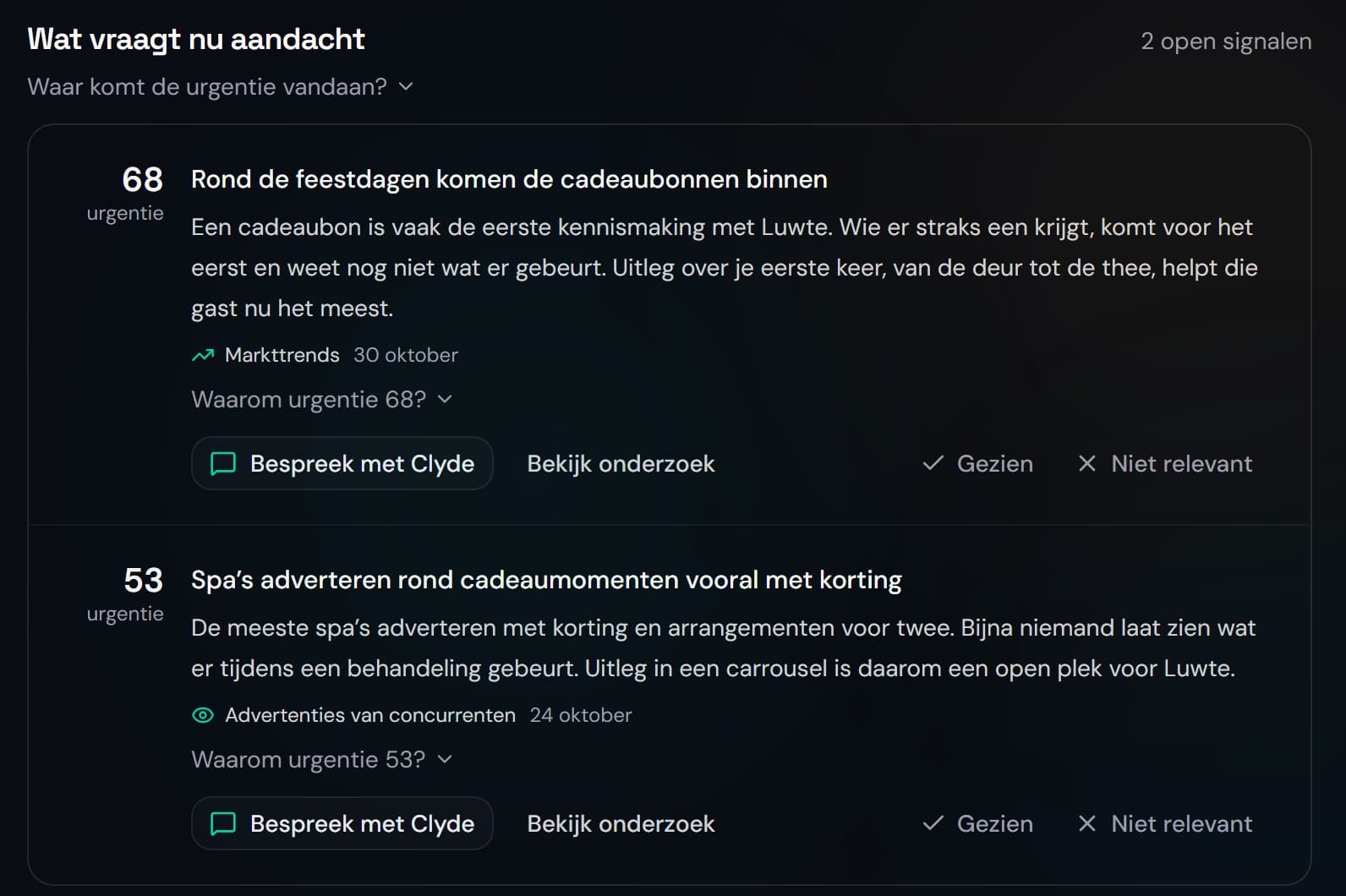
Plan: strategy and research.
Per client the goals, the audience and a calendar for the year. Clyde places signals from research next to that strategy, with the source, and proposes what to do with them. You decide.
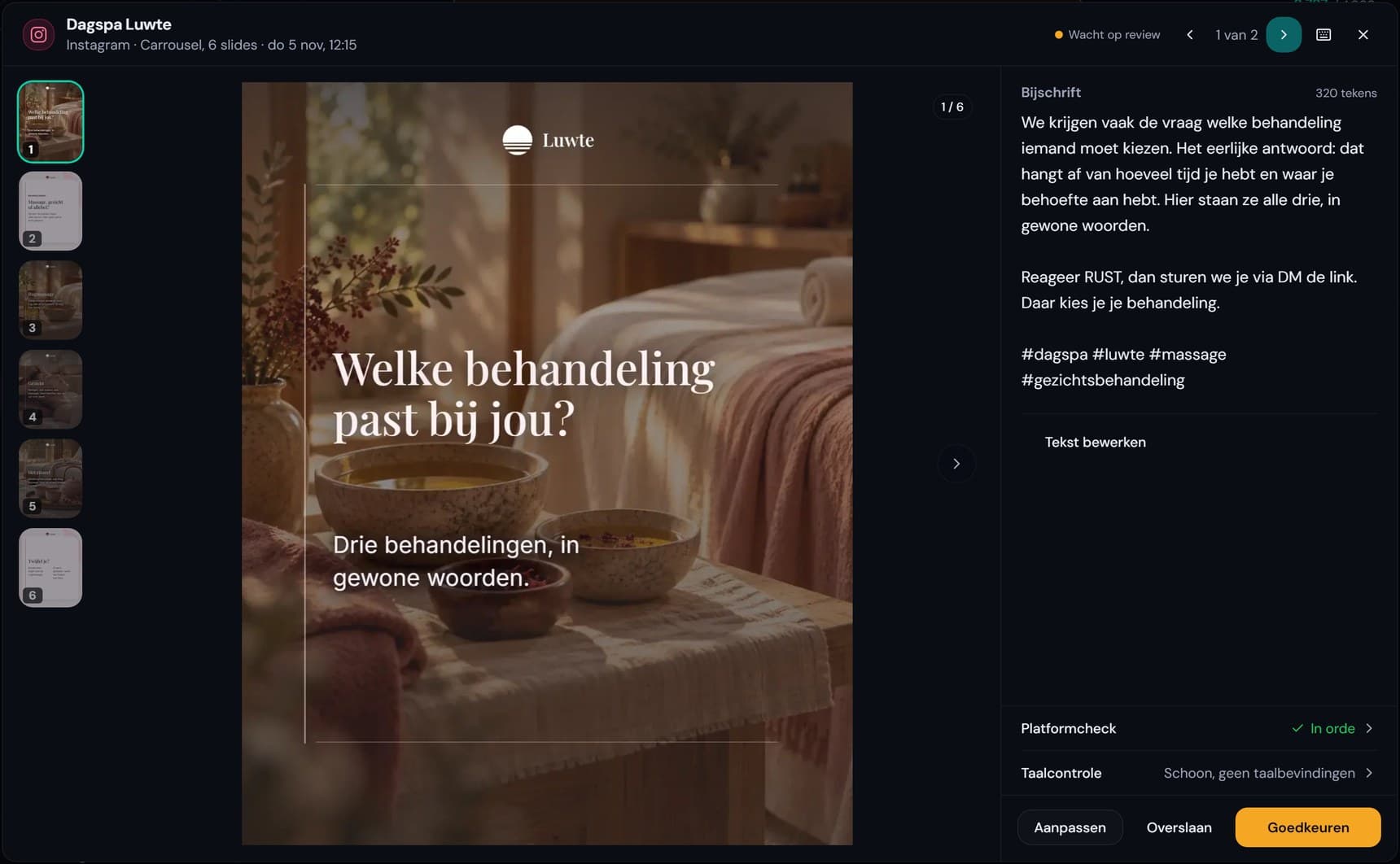
Make: posts, carousels and blogs.
Clyde writes posts, carousels and blogs per client, in that client's brand voice. Everything reaches you as a draft, with the checks included: caption, platform and language.
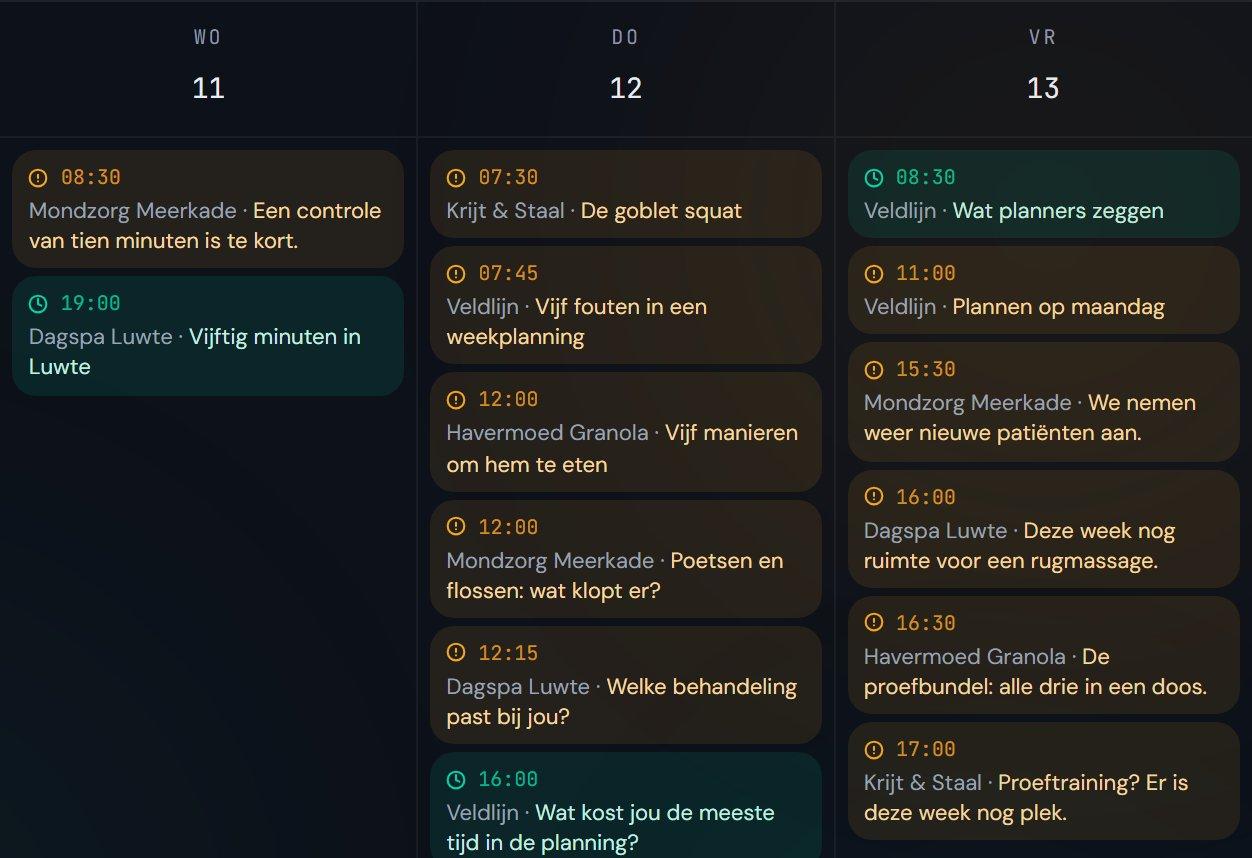
Approve and publish.
Every day Clyde puts the posts that are ready to you. You approve, edit or reject, and your client approves along in their own portal. Only then does Clyde schedule them, on that client's channels.
From post to lead.
When someone replies with a keyword under a post or in a DM, Clyde sends a DM right away with the link that goes with it. He writes the follow-up in your client's brand voice, and you approve it.

Measure: reporting, SEO and GEO.
Per client a weekly and a monthly report from the real figures, which your client reads in their portal. Clyde also follows the positions in Google and how often ChatGPT, Perplexity and Google AI Overviews mention your client.
Also: the mailbox.
Clyde reads incoming mail in Gmail or Outlook, puts every email in a category you choose and writes draft replies per brand.
Separate AI tools or one AI colleague.
What changes when you work for several clients.
| What | Separate AI tools | Clyde |
|---|---|---|
| Memory per client | Per tool and per conversation; you supply the brand voice again every time | One memory per client, which Clyde keeps up to date |
| Approval | Outside the tool, in email or chat | In the app, per post; nothing live without you |
| Your client | Gets files or screenshots | Follows along and approves in their own portal |
| Reporting | A separate overview per tool | Weekly and monthly report per client |
| Number of tools | One for text, one for planning, one for figures | One workspace |
| Pricing | A subscription per tool | One subscription for your agency, per client brand |
Coming soon.
This is what we are building now. It does not work yet, and it moves up this page once it does.
Coming soon
Voice Agent
Answering phone calls for your client: answering questions, booking appointments and transferring to a person when the conversation calls for it.
Coming soon
Reel Builder
Short vertical videos per client, from script to footage and music, in the brand's house style.
Questions about what Clyde makes.
What agencies ask before they choose between separate tools and Clyde.
Which AI tools does a marketing agency need?
For the work per client, something that plans, writes, gets approval, publishes and measures. With separate tools you supply each client's brand voice and figures again and again. Clyde does those steps in one workspace, with one memory per client.
What is the difference between separate AI tools and an AI colleague?
A separate tool does one task and starts every conversation from scratch. Clyde works per client from one memory, puts his work to you and lets your client follow along in their portal.
What does Clyde do himself and what does my team decide?
Clyde makes drafts, makes proposals and runs fixed tasks the way you set them up. Approving, rejecting and pausing is up to your team. How that works per task is on Working with Clyde.
See what Clyde makes for your clients.
A 30-minute call. Afterwards you know which steps Clyde can take for your agency.