Working with Clyde
Clyde prepares the work. You decide.
Clyde sits in every screen of your dashboard and on WhatsApp, and works per client from one memory. He makes drafts, makes proposals and runs fixed tasks, but no post goes live without your approval.
- Where
- Dashboard, web app and WhatsApp
- Memory
- One per client
- Stopping
- One button per client
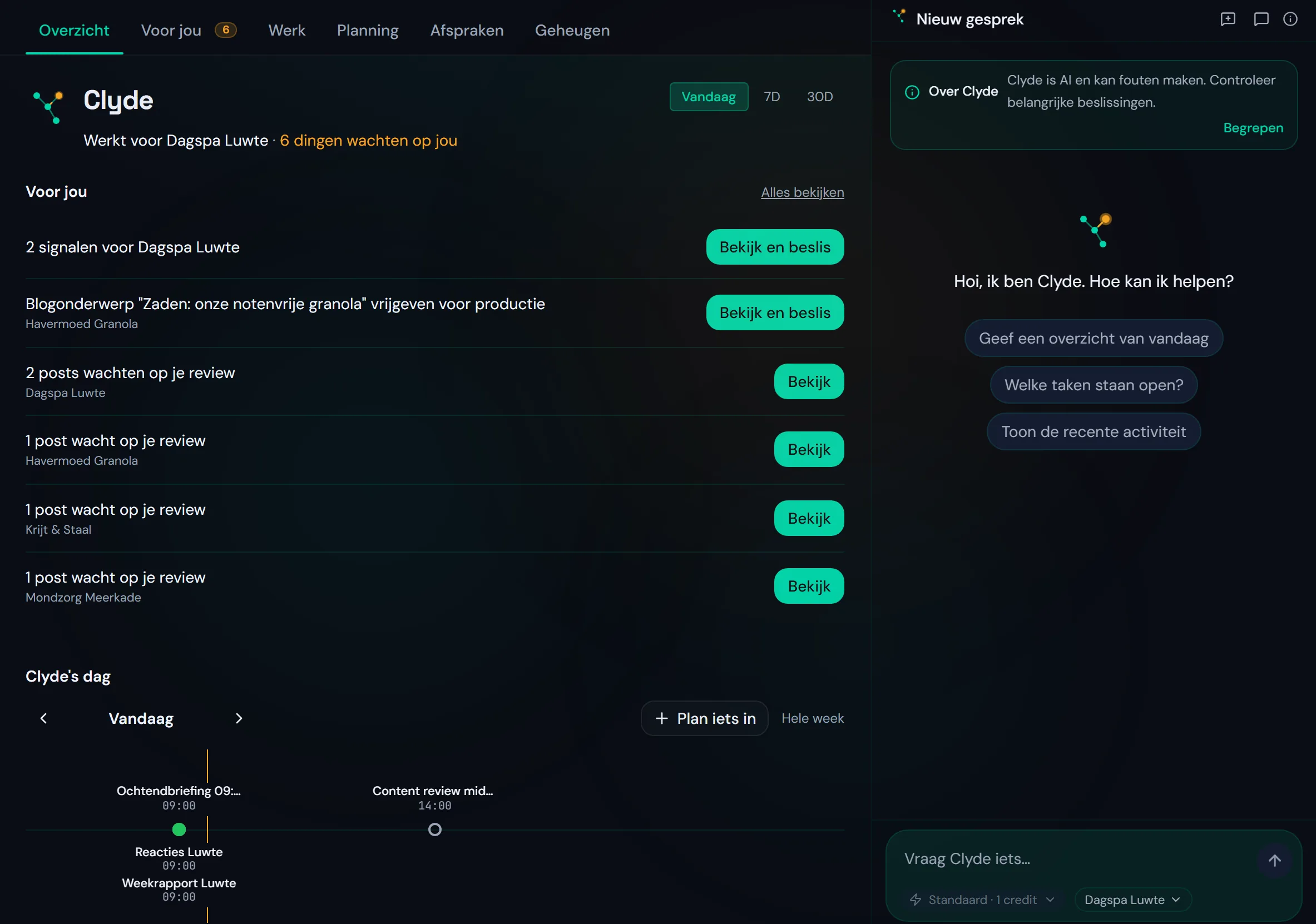
In every screen of your dashboard.
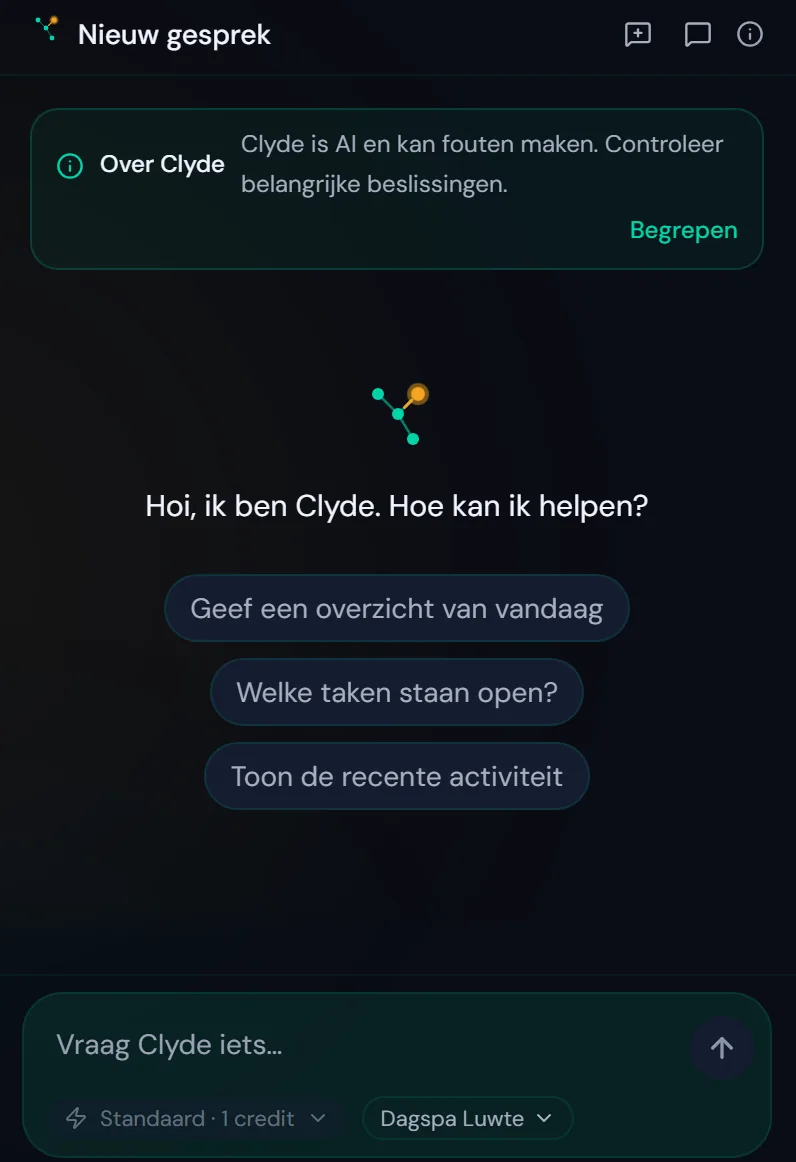
Clyde sits next to every screen. He knows which client you have open and answers from that client's memory. On your phone you put the web app on your home screen.
You type in plain language, in Dutch or English. Under the question bar you choose the client it is about.
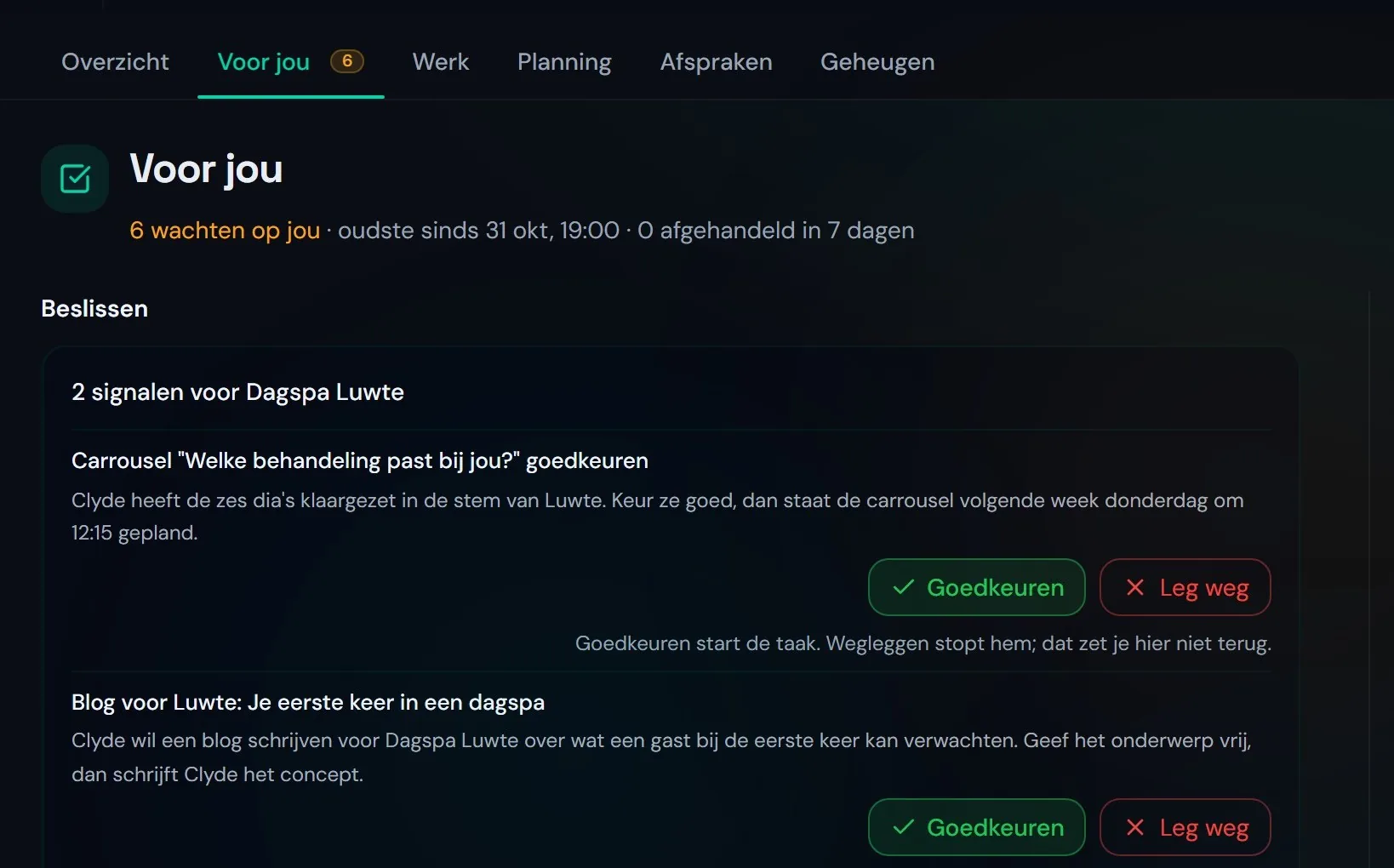
For you: what Clyde puts to you.
Under For you is what Clyde needs from you: posts waiting for review, a blog topic, a signal. Approving starts the task, setting it aside stops it. Under Delivered you read what he already did.
On WhatsApp: a proposal, you tap.
Ask Clyde on WhatsApp. He answers, or makes a proposal with the buttons Run and Cancel. A typed "yes" runs nothing: only the button does.
Every morning the briefing is in your WhatsApp. Content you approve in the app or the dashboard.
ClydeNova Digital
How is Luwte doing this week?09:12
Three posts are scheduled. Two still wait for your review in the app.09:12
Move the Thursday one to Friday.09:13
Proposal: the carousel from Thursday 12 November to Friday 13 November, same time.09:13
RunCancel
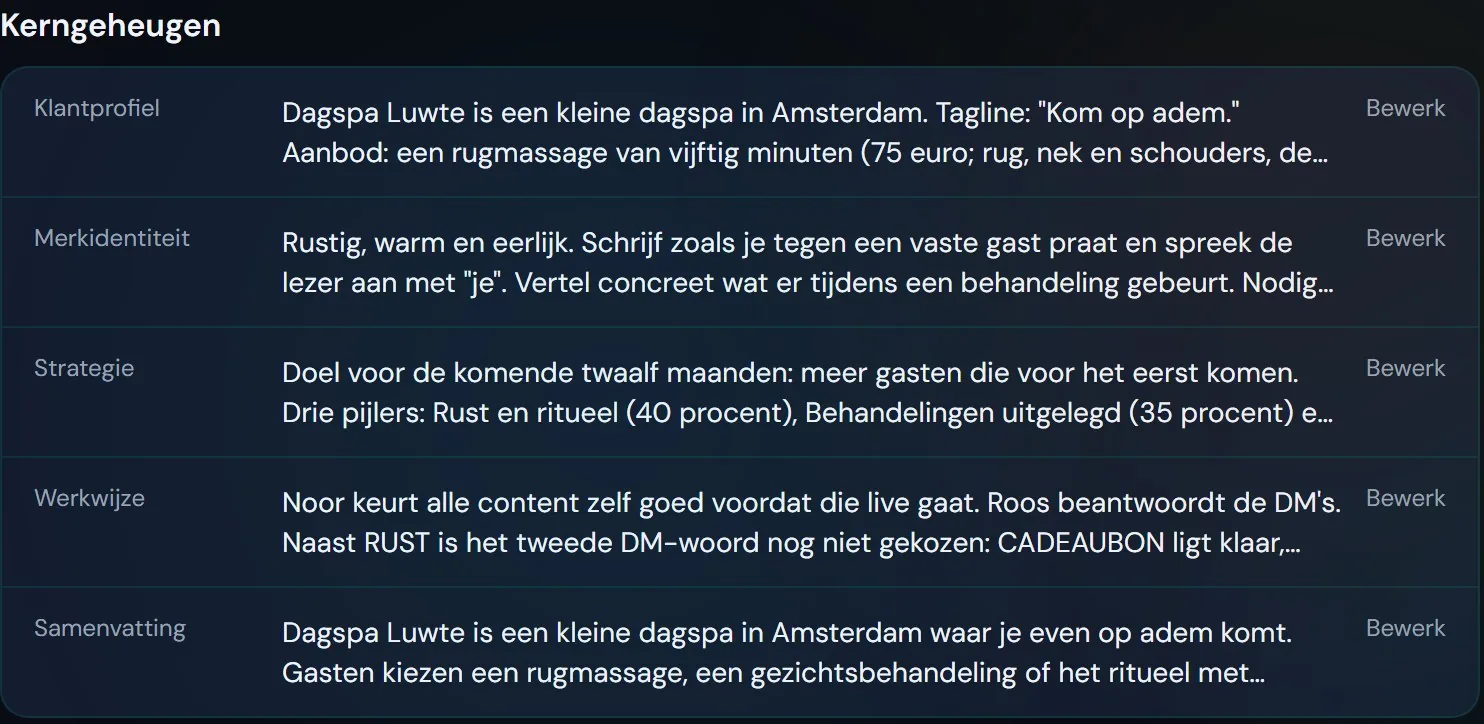
Memory per client.
What Clyde knows about a client is in his memory: profile, brand voice, strategy, way of working. He takes your corrections along, and every night he sorts what he learned that day.
Your client's Clyde.
Your client gets their own Clyde, in their portal and on WhatsApp. That Clyde answers questions about their own marketing and only reads: he plans, changes and publishes nothing.
Your client asks Clyde through the bar at the top of their portal, or on their phone through Clyde in the bar at the bottom. The card Ask Clyde sits on their strategy page, when that page is on for them. What else they see and approve is on the page about the client portal.
Ask Clyde
Where are we with the goals?What are you doing this month?What do I still need to approve?
What Clyde does himself, what he puts to you, what only you do.
Per fixed task you choose how independent Clyde is. The rest is fixed.
| Clyde does himself | Clyde puts to you | Only you |
|---|---|---|
| Making drafts for posts, carousels and blogs | Posts and carousels for review | Approving, rejecting or setting aside |
| Fixed tasks on time, when you set that task to run | Blog topics and signals | Choosing how independently a fixed task runs |
| Updating the memory per client | Proposals on WhatsApp, with Run and Cancel | Pausing a post or a whole client |
Draft
Clyde makes it and puts it to you.
Run and report
He runs it and lets you know.
Run silently
He runs it without a message.
Every fixed task has a cost ceiling and a stop button.
The stop moment.
Turn on the stop moment for a client, and you can still pause a post after you approve it, until four hours before it goes live. If it really has to go quiet, one button pauses everything for a client.
What Clyde does not do without you.
Put a post live that nobody approved
Every post waits in the app for an approval.
Run a proposal on WhatsApp before you tap
A typed "yes" does not count. Only the Run button.
Start a task from For you without your approval
Approving starts the task, setting it aside stops it.
Change something at your client's request
Your client's Clyde only reads.
Questions about working with Clyde.
What agencies want to know before they give Clyde work.
Is Clyde an AI marketing assistant or a chatbot?
You talk to him like a chatbot, but he works inside your clients. Per client he knows the brand voice and the memory, makes drafts and runs fixed tasks. What goes live, you approve.
How do I give Clyde a task on WhatsApp?
Through a linked number you send him a message in plain language. He answers, or makes a proposal with Run and Cancel; only when you tap does it happen. Content you approve in the app.
What does Clyde do himself and what does he put to me?
He makes drafts and runs fixed tasks the way you set them. Posts, blog topics, signals and proposals he puts to you under For you or on WhatsApp. Approving and pausing only you do.
Can my client use Clyde too?
Yes, in their portal and on WhatsApp, for questions about their own marketing. That Clyde only reads. What else your client sees is on the page about the client portal.
Does Clyde work as a mobile web app?
Yes. You put the web app on your phone's home screen and work from the same memory per client.
See Clyde at work.
A 30-minute call. After it you know how Clyde puts things to you and how you decide.